

High-speed internal SSD
1TB / China Mainland
$102.11
Sale price
$102.11
Regular price
$102.11
Skip to product information




High-speed internal SSD
$102.11
Sale price
$102.11
Regular price
$102.11
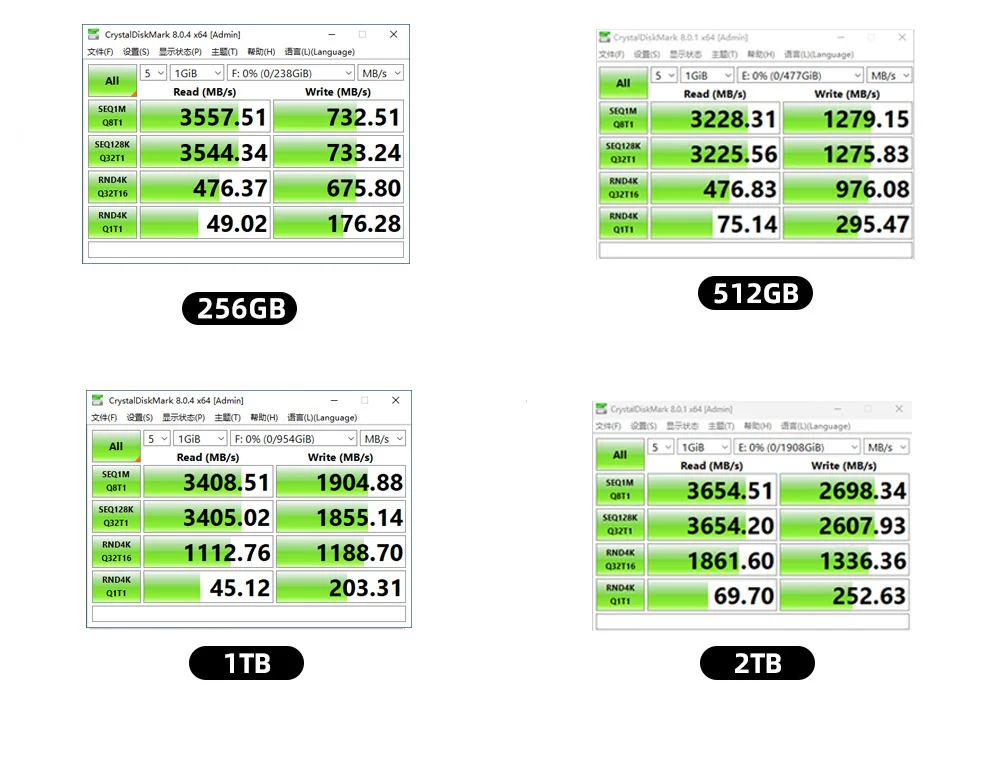
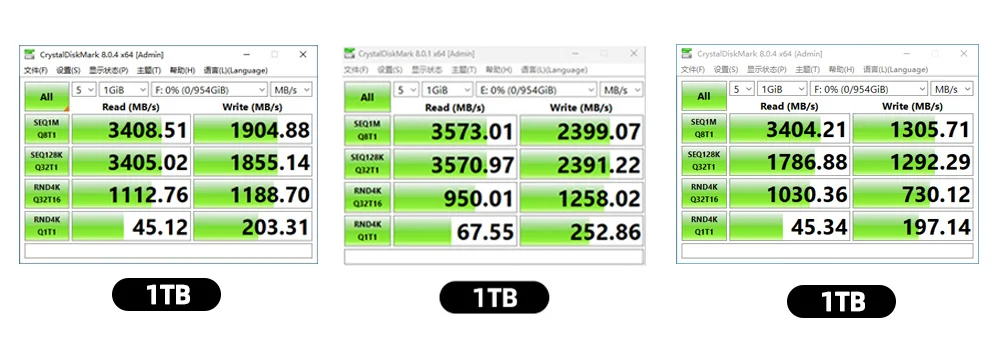
Diskmark Speed Test, Speed for reference only
Even products with the same capacity may exhibit inconsistent speeds under different testing environments, which is normal
Packaging random ship
Don't support specifying packaging style
About Speed
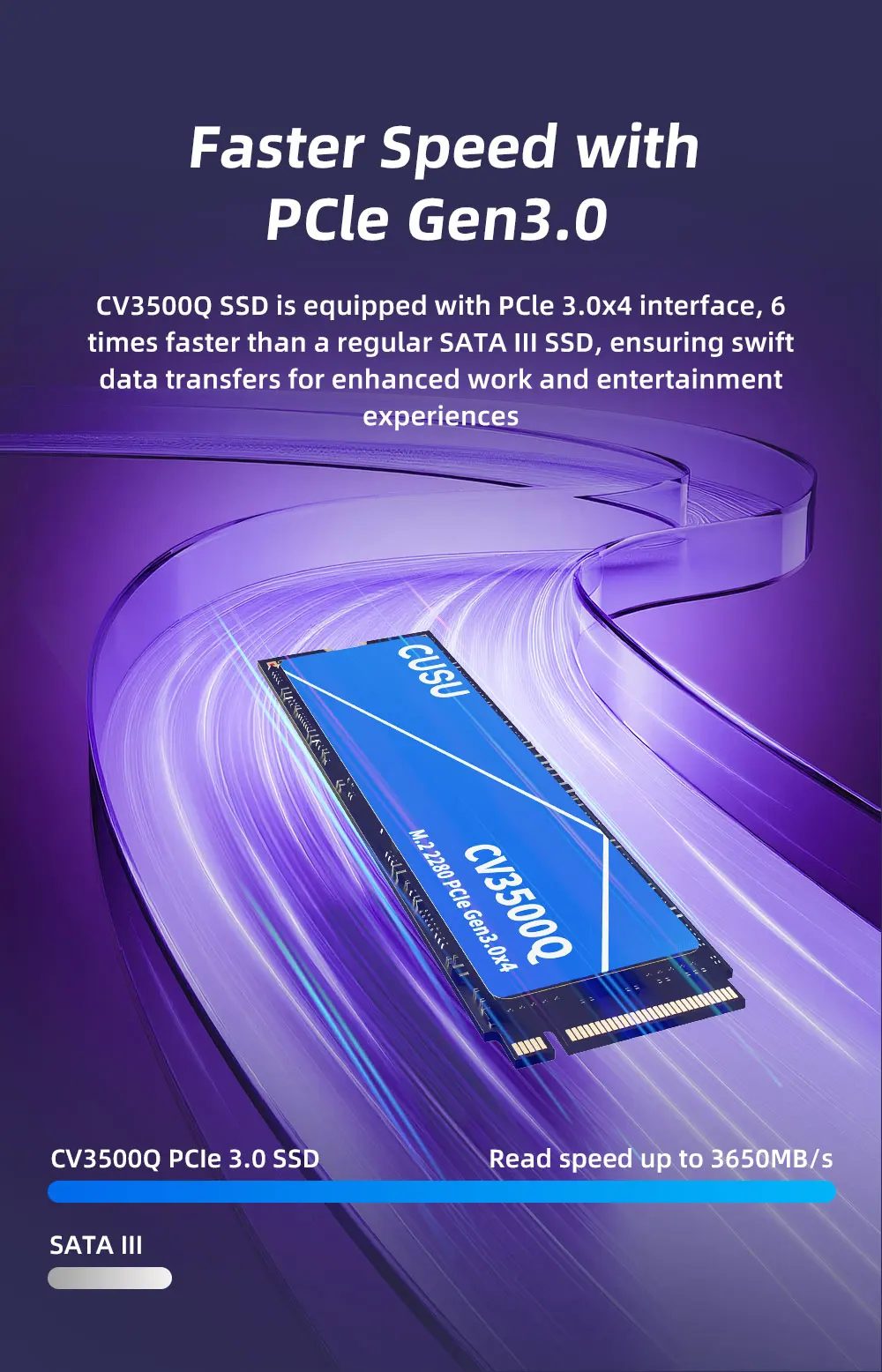
In our description, the speed is just for your reference, SSD speed will be influenced by many factors, such as interface type, computer hardware grade, computer system, and test system.
The speed will be lower than it should be if you connect with PCIe2.0 interface or ssd enclosure.
Installed in a hard drive enclosure, the speed will depend on the cable of the enclosure
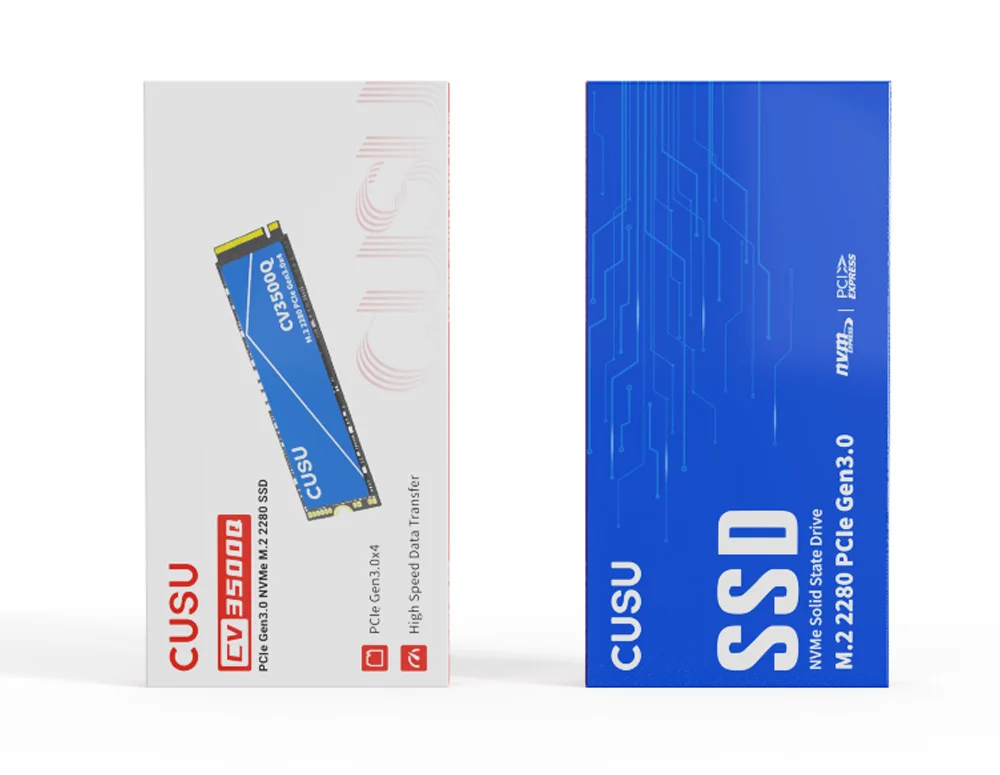
Please note that if your hard drive enclosure has an M.2 SATA interface, you will not be able to use this hard drive. To improve speed and product recognition, it is recommended to install it directly on the M.2 PCIe 3.0x4 interface of the laptop/motherboard.
About Capacity
Tips: Flash memory vendors are using decimal arithmetic:1MB = 1000KB,1G = 1000MB calculated, the operating system using binary arithmetic:1MB = 1024KB,1GB = 1024MB; so there are some differences between display capacity and nominal capacity of flash memory product 32gb is about 28.8gb; 64gb is about 59.5gb; 128gb is about 119gb As we are factory and we use 1000KB=1MB for easy calculate, also we use a little space as the Bad Bolck Management software for SSD's stable using, the real capacity will be: Capacity x 0.93, Pls notice that all of the SSD must have the Bad Block Management sofeware for its running well